Fieldset
Renders a <fieldset> element with an optional <legend>, wrapping child field components. Used to group related form fields together.
Class: PinkCrab\Form_Components\Element\Fieldset
Component: PinkCrab\Form_Components\Component\Form\Fieldset_Component
Make helper: Make::fieldset( 'name', fn(Fieldset $f) => $f->... )
Basic Usage
$this->component( new Fieldset_Component(
        Fieldset::make( 'personal' )
            ->legend( 'Personal Information' )
            ->fields(
                Text::make( 'first_name' )->label( 'First Name' )->required( true ),
                Text::make( 'last_name' )->label( 'Last Name' )->required( true ),
                Email::make( 'contact_email' )->label( 'Email' )
            )
    ) )
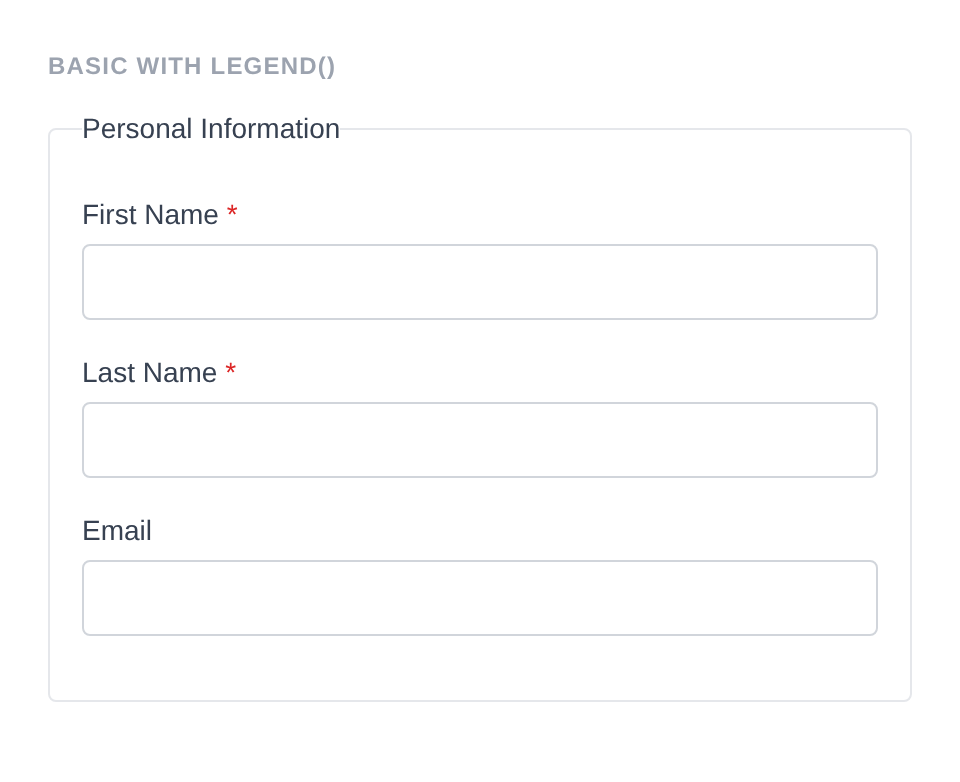
Generated HTML
<fieldset id="fieldset-personal" class="pc-form__element pc-form__element--fieldset">
    <legend class="pc-form__legend">Personal Information</legend>
        <div id="form-field_first_name" class="pc-form__element pc-form__element--text_input">
            <label for="first_name" class="pc-form__label">First Name</label>
                <input type="text" name="first_name" class="form-control text-input pc-form__element__field pc-form__element__field--text_input" list="_first_name__list" required="" />
            </div>
            <div id="form-field_last_name" class="pc-form__element pc-form__element--text_input">
                <label for="last_name" class="pc-form__label">Last Name</label>
                    <input type="text" name="last_name" class="form-control text-input pc-form__element__field pc-form__element__field--text_input" list="_last_name__list" required="" />
                </div>
                <div id="form-field_contact_email" class="pc-form__element pc-form__element--email_input">
                    <label for="contact_email" class="pc-form__label">Email</label>
                        <input type="email" name="contact_email" class="form-control email-input pc-form__element__field pc-form__element__field--email_input" list="_contact_email__list" />
                    </div>
                </fieldset>
Using Make Helper
use PinkCrab\Form_Components\Util\Make;
use PinkCrab\Form_Components\Element\Field\Input\Text;
use PinkCrab\Form_Components\Element\Field\Input\Email;

$this->component( Make::fieldset( 'personal', fn( $f ) => $f
    ->legend( 'Personal Details' )
    ->fields(
        Text::make( 'first_name' )->label( 'First Name' ),
        Text::make( 'last_name' )->label( 'Last Name' ),
        Email::make( 'email' )->label( 'Email' ),
    )
) );
Methods
legend( string $legend )
Sets the legend text displayed at the top of the fieldset.
Fieldset::make( 'address' )
    ->legend( 'Shipping Address' )
    ->fields(
        Text::make( 'street' )->label( 'Street' ),
        Text::make( 'city' )->label( 'City' ),
    )
Generated HTML
<fieldset id="fieldset-address" class="pc-form__element pc-form__element--fieldset">
    <legend class="pc-form__legend">Shipping Address</legend>
    <div id="form-field_street" class="pc-form__element pc-form__element--text_input">
        <label for="street" class="pc-form__label">Street</label>
        <input type="text" name="street"
            class="form-control text-input pc-form__element__field pc-form__element__field--text_input"
        />
    </div>
    <div id="form-field_city" class="pc-form__element pc-form__element--text_input">
        <label for="city" class="pc-form__label">City</label>
        <input type="text" name="city"
            class="form-control text-input pc-form__element__field pc-form__element__field--text_input"
        />
    </div>
</fieldset>
When no legend is set, the fieldset renders without a <legend> tag.
Fieldset::make( 'address' )
    ->fields(
        Text::make( 'street' )->label( 'Street' ),
        Text::make( 'city' )->label( 'City' ),
        Text::make( 'postcode' )->label( 'Postcode' )
    )
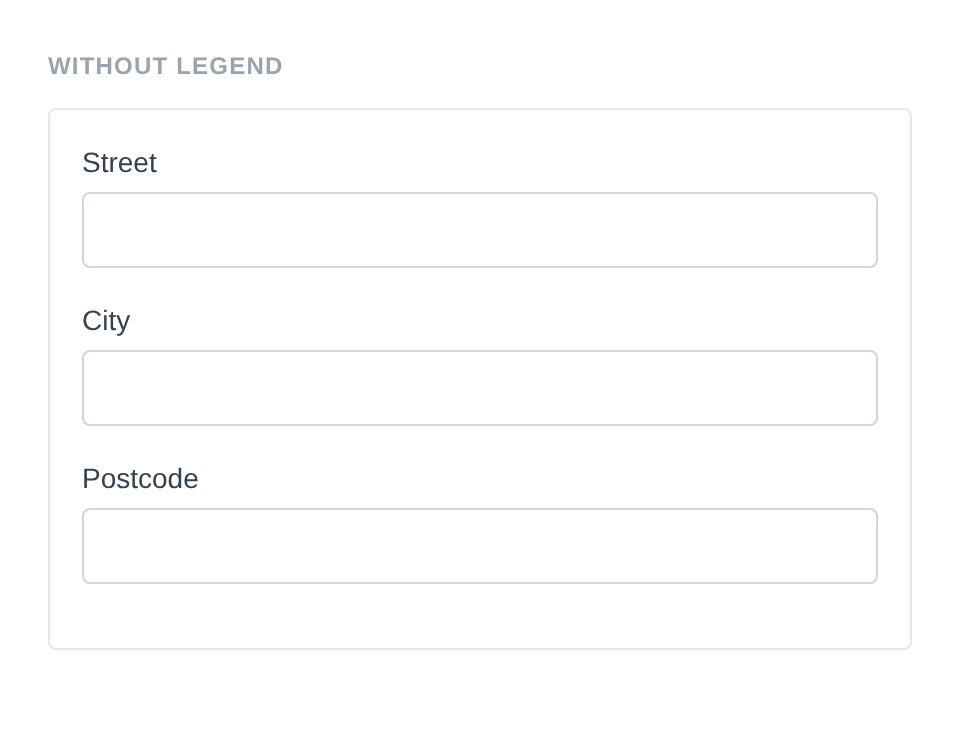
Generated HTML
<fieldset id="fieldset-address" class="pc-form__element pc-form__element--fieldset">
    <div id="form-field_street" class="pc-form__element pc-form__element--text_input">
        <label for="street" class="pc-form__label">Street</label>
            <input type="text" name="street" class="form-control text-input pc-form__element__field pc-form__element__field--text_input" list="_street__list" />
        </div>
        <div id="form-field_city" class="pc-form__element pc-form__element--text_input">
            <label for="city" class="pc-form__label">City</label>
                <input type="text" name="city" class="form-control text-input pc-form__element__field pc-form__element__field--text_input" list="_city__list" />
            </div>
            <div id="form-field_postcode" class="pc-form__element pc-form__element--text_input">
                <label for="postcode" class="pc-form__label">Postcode</label>
                    <input type="text" name="postcode" class="form-control text-input pc-form__element__field pc-form__element__field--text_input" list="_postcode__list" />
                </div>
            </fieldset>
fields( Element …$elements )
Adds child elements (fields, buttons, nonces, raw HTML) to the fieldset. Accepts any number of Element instances. Child elements inherit the fieldset’s style unless they have an explicit style set.
use PinkCrab\Form_Components\Element\Field\Input\Text;
use PinkCrab\Form_Components\Element\Field\Input\Tel;
use PinkCrab\Form_Components\Element\Field\Select;

Fieldset::make( 'contact' )
    ->legend( 'Contact Information' )
    ->fields(
        Text::make( 'name' )->label( 'Full Name' )->required(),
        Tel::make( 'phone' )->label( 'Phone' ),
        Select::make( 'preferred' )
            ->label( 'Preferred Contact' )
            ->options( array( 'email' => 'Email', 'phone' => 'Phone' ) ),
    )
Generated HTML
<fieldset id="fieldset-contact" class="pc-form__element pc-form__element--fieldset">
    <legend class="pc-form__legend">Contact Information</legend>
    <div id="form-field_name" class="pc-form__element pc-form__element--text_input">
        <label for="name" class="pc-form__label">Full Name</label>
        <input type="text" name="name"
            class="form-control text-input pc-form__element__field pc-form__element__field--text_input"
            required=""
        />
    </div>
    <div id="form-field_phone" class="pc-form__element pc-form__element--tel_input">
        <label for="phone" class="pc-form__label">Phone</label>
        <input type="tel" name="phone"
            class="form-control tel-input pc-form__element__field pc-form__element__field--tel_input"
        />
    </div>
    <div id="form-field_preferred" class="pc-form__element pc-form__element--select">
        <label for="preferred" class="pc-form__label">Preferred Contact</label>
        <select name="preferred"
            class="form-control select pc-form__element__field pc-form__element__field--select">
            <option value="email">Email</option>
            <option value="phone">Phone</option>
        </select>
    </div>
</fieldset>
add_field( string $key, string $field_class, ?callable $config = null )
Adds a field by class name with an optional configuration callback.
use PinkCrab\Form_Components\Element\Field\Input\Text;

Fieldset::make( 'address' )
    ->legend( 'Address' )
    ->add_field( 'street', Text::class, fn( $f ) => $f
        ->label( 'Street' )
        ->required()
    )
Generated HTML
<fieldset id="fieldset-address" class="pc-form__element pc-form__element--fieldset">
    <legend class="pc-form__legend">Address</legend>
    <div id="form-field_street" class="pc-form__element pc-form__element--text_input">
        <label for="street" class="pc-form__label">Street</label>
        <input type="text" name="street"
            class="form-control text-input pc-form__element__field pc-form__element__field--text_input"
            required=""
        />
    </div>
</fieldset>
disabled( bool $disabled = true )
Disables the entire fieldset, which disables all child form elements.
Fieldset::make( 'disabled_section' )
    ->legend( 'Disabled Section' )
    ->disabled( true )
    ->fields(
        Text::make( 'disabled_name' )->label( 'Name' ),
        Tel::make( 'disabled_phone' )->label( 'Phone' )
    )
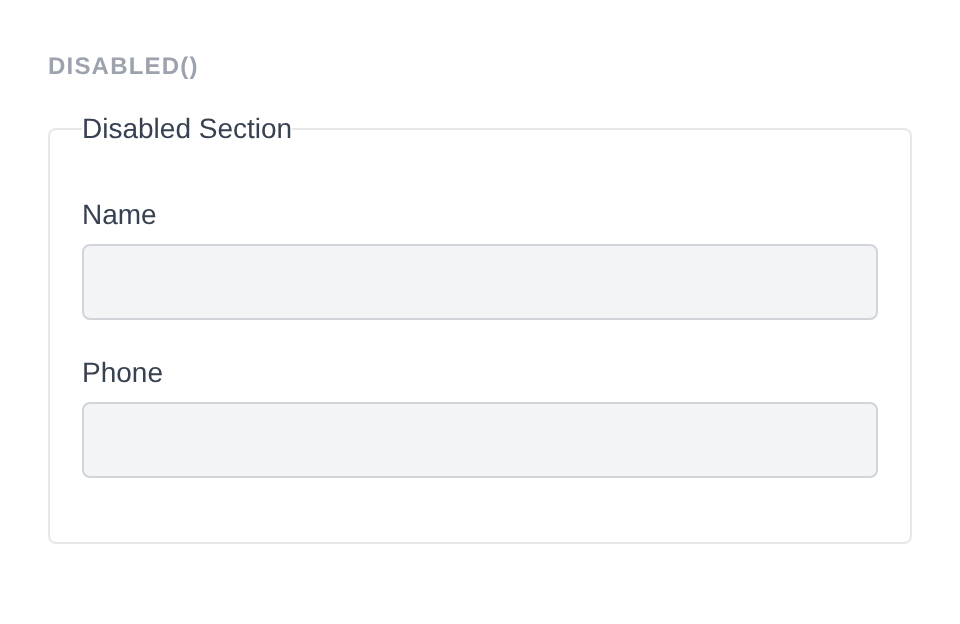
Generated HTML
<fieldset id="fieldset-disabled_section" class="pc-form__element pc-form__element--fieldset" disabled>
    <legend class="pc-form__legend">Disabled Section</legend>
        <div id="form-field_disabled_name" class="pc-form__element pc-form__element--text_input">
            <label for="disabled_name" class="pc-form__label">Name</label>
                <input type="text" name="disabled_name" class="form-control text-input pc-form__element__field pc-form__element__field--text_input" list="_disabled_name__list" />
            </div>
            <div id="form-field_disabled_phone" class="pc-form__element pc-form__element--tel_input">
                <label for="disabled_phone" class="pc-form__label">Phone</label>
                    <input type="tel" name="disabled_phone" class="form-control tel-input pc-form__element__field pc-form__element__field--tel_input" list="_disabled_phone__list" />
                </div>
            </fieldset>
pre_description( string $description )
Sets a description displayed after the legend but before the child fields.
Fieldset::make( 'personal' )
    ->legend( 'Personal Details' )
    ->pre_description( 'Please fill in your personal information.' )
    ->fields(
        Text::make( 'name' )->label( 'Name' ),
    )
post_description( string $description )
Sets a description displayed after the child fields.
Fieldset::make( 'personal' )
    ->legend( 'Personal Details' )
    ->post_description( 'All fields are required.' )
    ->fields(
        Text::make( 'name' )->label( 'Name' ),
    )
before( string $html ) / after( string $html )
HTML content before or after the fieldset’s child elements, rendered inside the <fieldset> tag (after the legend).
Fieldset::make( 'wrapped_fs' )
    ->legend( 'Contact Details' )
    ->before( '<p style="color:#6b7280;font-size:13px;margin:0 0 8px;">Please fill in your details below.</p>' )
    ->after( '<p style="color:#6b7280;font-size:13px;margin:8px 0 0;">All fields are optional.</p>' )
    ->fields(
        Text::make( 'company' )->label( 'Company' ),
        Tel::make( 'phone' )->label( 'Phone' )
    )
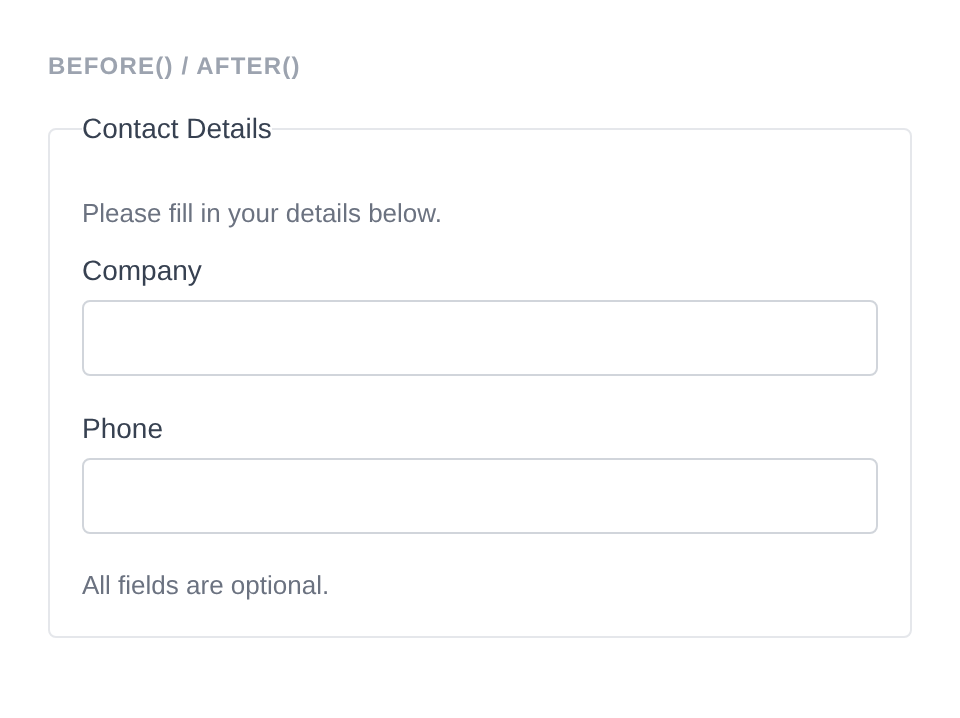
Generated HTML
<fieldset id="fieldset-wrapped_fs" class="pc-form__element pc-form__element--fieldset">
    <legend class="pc-form__legend">Contact Details</legend>
        <p style="color:#6b7280;font-size:13px;margin:0 0 8px">Please fill in your details below.</p>
            <div id="form-field_company" class="pc-form__element pc-form__element--text_input">
                <label for="company" class="pc-form__label">Company</label>
                    <input type="text" name="company" class="form-control text-input pc-form__element__field pc-form__element__field--text_input" list="_company__list" />
                </div>
                <div id="form-field_phone" class="pc-form__element pc-form__element--tel_input">
                    <label for="phone" class="pc-form__label">Phone</label>
                        <input type="tel" name="phone" class="form-control tel-input pc-form__element__field pc-form__element__field--tel_input" list="_phone__list" />
                    </div>
                    <p style="color:#6b7280;font-size:13px;margin:8px 0 0">All fields are optional.</p>
                    </fieldset>
wrapper_id( string $id )
Sets a custom HTML id on the fieldset element. Defaults to fieldset-{name}.
Fieldset::make( 'address' )
    ->wrapper_id( 'my-custom-fieldset-id' )
    ->fields(
        Text::make( 'street' )->label( 'Street' ),
    )
Generated HTML
<fieldset id="my-custom-fieldset-id" class="pc-form__element pc-form__element--fieldset">
    <div id="form-field_street" class="pc-form__element pc-form__element--text_input">
        <label for="street" class="pc-form__label">Street</label>
        <input type="text" name="street"
            class="form-control text-input pc-form__element__field pc-form__element__field--text_input"
        />
    </div>
</fieldset>
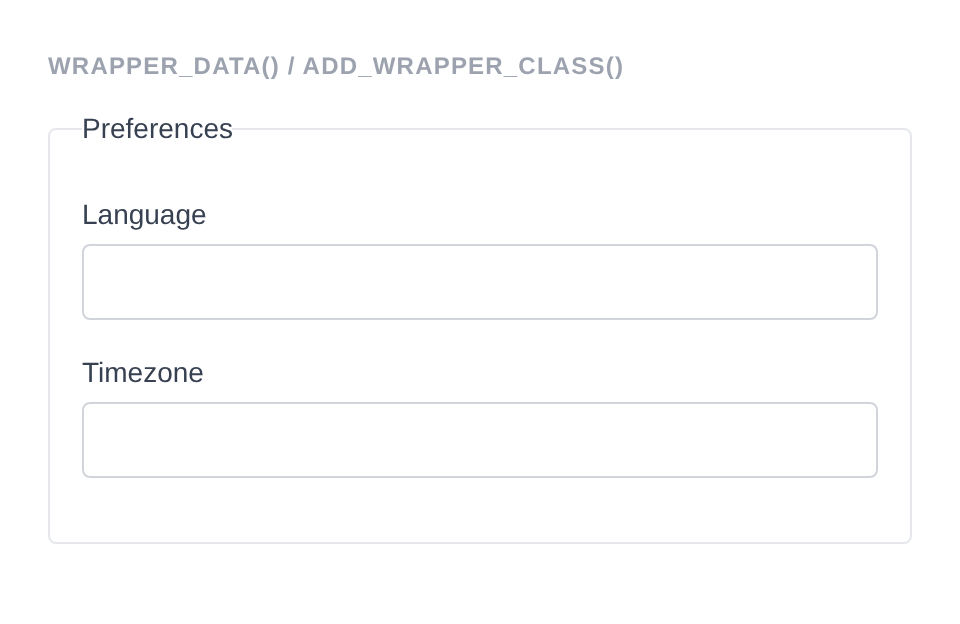
wrapper_attribute( string $key, mixed $value )
Sets an arbitrary HTML attribute on the fieldset element.
Fieldset::make( 'data_fs' )
    ->legend( 'Preferences' )
    ->wrapper_data( 'section', 'preferences' )
    ->add_wrapper_class( 'highlighted-fieldset' )
    ->fields(
        Text::make( 'language' )->label( 'Language' ),
        Text::make( 'timezone' )->label( 'Timezone' )
    )
Generated HTML
<fieldset id="fieldset-data_fs" data-section="preferences" class="pc-form__element pc-form__element--fieldset pc-form__element pc-form__element--fieldset highlighted-fieldset">
    <legend class="pc-form__legend">Preferences</legend>
        <div id="form-field_language" class="pc-form__element pc-form__element--text_input">
            <label for="language" class="pc-form__label">Language</label>
                <input type="text" name="language" class="form-control text-input pc-form__element__field pc-form__element__field--text_input" list="_language__list" />
            </div>
            <div id="form-field_timezone" class="pc-form__element pc-form__element--text_input">
                <label for="timezone" class="pc-form__label">Timezone</label>
                    <input type="text" name="timezone" class="form-control text-input pc-form__element__field pc-form__element__field--text_input" list="_timezone__list" />
                </div>
            </fieldset>
wrapper_attributes( array $attrs )
Sets multiple arbitrary HTML attributes on the fieldset element at once.
Fieldset::make( 'address' )
    ->wrapper_attributes( array(
        'data-section' => 'address',
        'role'         => 'group',
    ) )
    ->fields(
        Text::make( 'street' )->label( 'Street' ),
    )
Generated HTML
<fieldset id="fieldset-address" class="pc-form__element pc-form__element--fieldset" data-section="address" role="group">
    <div id="form-field_street" class="pc-form__element pc-form__element--text_input">
        <label for="street" class="pc-form__label">Street</label>
        <input type="text" name="street"
            class="form-control text-input pc-form__element__field pc-form__element__field--text_input"
        />
    </div>
</fieldset>
wrapper_data( string $key, string $value )
Adds a data-* attribute to the fieldset element.
Fieldset::make( 'address' )
    ->legend( 'Address' )
    ->wrapper_data( 'section', 'shipping' )
    ->fields(
        Text::make( 'street' )->label( 'Street' ),
    )
Generated HTML
<fieldset id="fieldset-address" class="pc-form__element pc-form__element--fieldset" data-section="shipping">
    <legend class="pc-form__legend">Address</legend>
    <div id="form-field_street" class="pc-form__element pc-form__element--text_input">
        <label for="street" class="pc-form__label">Street</label>
        <input type="text" name="street"
            class="form-control text-input pc-form__element__field pc-form__element__field--text_input"
        />
    </div>
</fieldset>
add_wrapper_class( string $class )
Adds a CSS class to the fieldset element.
Fieldset::make( 'address' )
    ->legend( 'Address' )
    ->add_wrapper_class( 'my-fieldset-class' )
    ->fields(
        Text::make( 'street' )->label( 'Street' ),
    )
Generated HTML
<fieldset id="fieldset-address" class="pc-form__element pc-form__element--fieldset my-fieldset-class">
    <legend class="pc-form__legend">Address</legend>
    <div id="form-field_street" class="pc-form__element pc-form__element--text_input">
        <label for="street" class="pc-form__label">Street</label>
        <input type="text" name="street"
            class="form-control text-input pc-form__element__field pc-form__element__field--text_input"
        />
    </div>
</fieldset>
id( string $id )
Sets a custom HTML id attribute (on the inner element, separate from wrapper).
Fieldset::make( 'address' )
    ->id( 'address-inner' )
    ->fields(
        Text::make( 'street' )->label( 'Street' ),
    )
Generated HTML
<fieldset id="fieldset-address" class="pc-form__element pc-form__element--fieldset">
    <div id="form-field_street" class="pc-form__element pc-form__element--text_input">
        <label for="street" class="pc-form__label">Street</label>
        <input type="text" name="street"
            class="form-control text-input pc-form__element__field pc-form__element__field--text_input"
        />
    </div>
</fieldset>
data( string $key, string $value )
Adds a data-* attribute to the inner element.
Fieldset::make( 'address' )
    ->data( 'group', 'shipping' )
    ->fields(
        Text::make( 'street' )->label( 'Street' ),
    )
Generated HTML
<fieldset id="fieldset-address" class="pc-form__element pc-form__element--fieldset">
    <div id="form-field_street" class="pc-form__element pc-form__element--text_input">
        <label for="street" class="pc-form__label">Street</label>
        <input type="text" name="street"
            class="form-control text-input pc-form__element__field pc-form__element__field--text_input"
        />
    </div>
</fieldset>
add_class( string $class )
Adds a CSS class to the inner element.
Fieldset::make( 'address' )
    ->add_class( 'my-inner-class' )
    ->fields(
        Text::make( 'street' )->label( 'Street' ),
    )
Generated HTML
<fieldset id="fieldset-address" class="pc-form__element pc-form__element--fieldset">
    <div id="form-field_street" class="pc-form__element pc-form__element--text_input">
        <label for="street" class="pc-form__label">Street</label>
        <input type="text" name="street"
            class="form-control text-input pc-form__element__field pc-form__element__field--text_input"
        />
    </div>
</fieldset>
attribute( string $key, mixed $value )
Sets an arbitrary HTML attribute on the inner element.
Fieldset::make( 'address' )
    ->attribute( 'role', 'group' )
    ->fields(
        Text::make( 'street' )->label( 'Street' ),
    )
Generated HTML
<fieldset id="fieldset-address" class="pc-form__element pc-form__element--fieldset">
    <div id="form-field_street" class="pc-form__element pc-form__element--text_input">
        <label for="street" class="pc-form__label">Street</label>
        <input type="text" name="street"
            class="form-control text-input pc-form__element__field pc-form__element__field--text_input"
        />
    </div>
</fieldset>
attributes( array $attrs )
Sets multiple arbitrary HTML attributes on the inner element at once.
Fieldset::make( 'address' )
    ->attributes( array(
        'title'    => 'Address group',
        'tabindex' => '0',
    ) )
    ->fields(
        Text::make( 'street' )->label( 'Street' ),
    )
Generated HTML
<fieldset id="fieldset-address" class="pc-form__element pc-form__element--fieldset">
    <div id="form-field_street" class="pc-form__element pc-form__element--text_input">
        <label for="street" class="pc-form__label">Street</label>
        <input type="text" name="street"
            class="form-control text-input pc-form__element__field pc-form__element__field--text_input"
        />
    </div>
</fieldset>
style( Style $style )
Sets a custom style on the fieldset. Child elements without an explicit style will inherit this.
use PinkCrab\Form_Components\Style\Default_Style;

Fieldset::make( 'address' )
    ->style( new Default_Style() )
    ->fields(
        Text::make( 'street' )->label( 'Street' ),
    )
Generated HTML
<fieldset id="fieldset-address" class="pc-form__element pc-form__element--fieldset">
    <div id="form-field_street" class="pc-form__element pc-form__element--text_input">
        <label for="street" class="pc-form__label">Street</label>
        <input type="text" name="street"
            class="form-control text-input pc-form__element__field pc-form__element__field--text_input"
        />
    </div>
</fieldset>
add_validation_rule( string $key, Validatable $validator )
Adds a server-side validation rule for a specific field key within the fieldset.
use Respect\Validation\Validator as v;

Fieldset::make( 'address' )
    ->add_validation_rule( 'postcode', v::postalCode( 'GB' ) )
    ->fields(
        Text::make( 'postcode' )->label( 'Postcode' ),
    )
Generated HTML
<fieldset id="fieldset-address" class="pc-form__element pc-form__element--fieldset">
    <div id="form-field_postcode" class="pc-form__element pc-form__element--text_input">
        <label for="postcode" class="pc-form__label">Postcode</label>
        <input type="text" name="postcode"
            class="form-control text-input pc-form__element__field pc-form__element__field--text_input"
        />
    </div>
</fieldset>
Traits
| Trait | Methods |
|---|---|
| Wrapper_Attributes | wrapper_attribute(), wrapper_attributes(), get_wrapper_attribute(), get_wrapper_attributes(), wrapper_id(), wrapper_data(), add_wrapper_class() |
| Attributes | attribute(), attributes(), get_attribute(), get_attributes(), has_attribute(), add_class(), remove_class(), id(), data() |
| Element_Wrap | before(), after(), get_before(), get_after(), has_before(), has_after() |
| Fields | fields(), add_field(), get_fields(), get_field(), has_field(), get_field_names(), get_nested_fields(), add_validation_rule(), get_validation_rules() |
| Form_Style | style(), get_style(), has_explicit_style() |
| Disabled | disabled(), is_disabled() |
| Description | pre_description(), post_description(), get_pre_description(), get_post_description(), has_pre_description(), has_post_description() |