Radio Input
Renders <input type="radio">. A single radio button, typically used within a group where only one option can be selected. Default sanitizer: none.
Class: PinkCrab\Form_Components\Element\Field\Input\Radio
Make helper: Make::radio( 'name', fn(Radio $f) => $f->... )
Basic Usage
$this->component( new Input_Component(
        Radio::make( 'option_a' )
            ->label( 'Option A' )
            ->value( 'a' )
    ) )

Generated HTML
<div id="form-field_option_a" class="pc-form__element pc-form__element--radio_input">
    <label for="option_a" class="pc-form__label">Option A</label>
        <input type="radio" name="option_a" class="form-control radio-input pc-form__element__field pc-form__element__field--radio_input" value="a" />
    </div>
Using Make Helper
use PinkCrab\Form_Components\Util\Make;

$this->component( Make::radio( 'colour', fn( $f ) => $f
    ->label( 'Red' )
    ->value( 'red' )
) );
Methods
label( string $label )
Sets the visible label text for the radio button.
Radio::make( 'size' )->label( 'Large' )
Generated HTML
<div id="form-field_size" class="pc-form__element pc-form__element--radio_input">
    <label for="size" class="pc-form__label">Large</label>
    <input type="radio" name="size"
        class="form-control radio-input pc-form__element__field pc-form__element__field--radio_input"
    />
</div>
value( string|float|int $value )
Sets the value submitted when this radio button is selected. Non-string values are cast to string.
Radio::make( 'size' )
    ->label( 'Large' )
    ->value( 'lg' )
Generated HTML
<div id="form-field_size" class="pc-form__element pc-form__element--radio_input">
    <label for="size" class="pc-form__label">Large</label>
    <input type="radio" name="size"
        class="form-control radio-input pc-form__element__field pc-form__element__field--radio_input"
        value="lg"
    />
</div>
set_existing( mixed $value )
Sets the current value. No sanitizer is applied by default for radio inputs.
Radio::make( 'colour' )
    ->label( 'Blue' )
    ->value( 'blue' )
    ->set_existing( 'blue' )
Generated HTML
<div id="form-field_colour" class="pc-form__element pc-form__element--radio_input">
    <label for="colour" class="pc-form__label">Blue</label>
    <input type="radio" name="colour"
        class="form-control radio-input pc-form__element__field pc-form__element__field--radio_input"
        value="blue"
    />
</div>
checked( bool $checked = true )
Sets whether the radio button is in a selected state.
Radio::make( 'option_b' )
    ->label( 'Option B' )
    ->value( 'b' )
    ->checked( true )
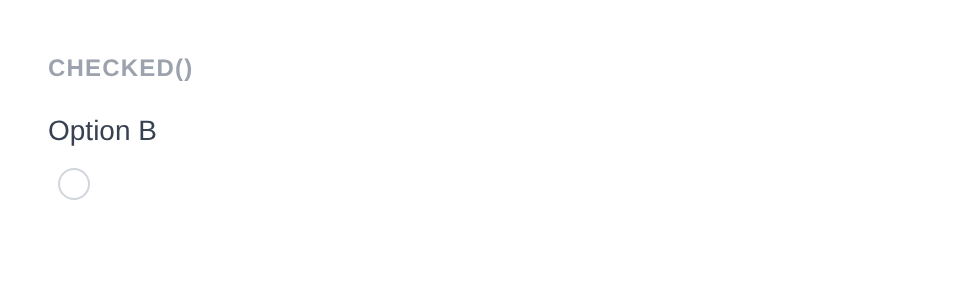
Generated HTML
<div id="form-field_option_b" class="pc-form__element pc-form__element--radio_input">
    <label for="option_b" class="pc-form__label">Option B</label>
        <input type="radio" name="option_b" class="form-control radio-input pc-form__element__field pc-form__element__field--radio_input" checked="" value="b" />
    </div>
is_checked()
Returns whether the radio button is currently selected.
$radio = Radio::make( 'plan' )
    ->value( 'premium' )
    ->checked( true );

$radio->is_checked(); // true
Generated HTML
<div id="form-field_plan" class="pc-form__element pc-form__element--radio_input">
    <input type="radio" name="plan"
        class="form-control radio-input pc-form__element__field pc-form__element__field--radio_input"
        value="premium" checked=""
    />
</div>
disabled( bool $disabled = true )
Disables the radio button. It is visible but cannot be selected or submitted.
Radio::make( 'locked_option' )
    ->label( 'Locked Option' )
    ->value( 'locked' )
    ->checked( true )
    ->disabled( true )
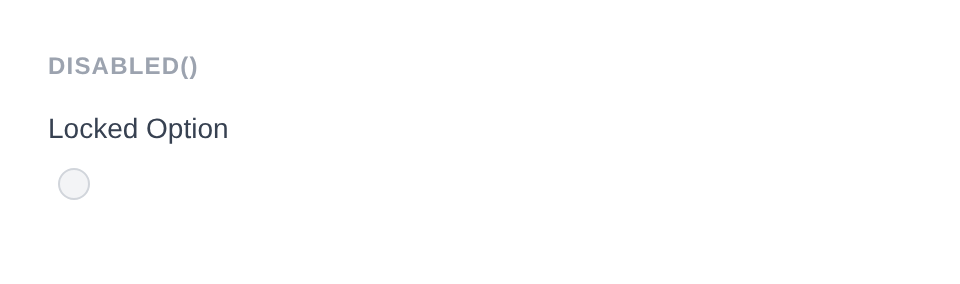
Generated HTML
<div id="form-field_locked_option" class="pc-form__element pc-form__element--radio_input">
    <label for="locked_option" class="pc-form__label">Locked Option</label>
        <input type="radio" name="locked_option" class="form-control radio-input pc-form__element__field pc-form__element__field--radio_input" checked="" disabled="" value="locked" />
    </div>
error_notification( string $message )
Displays an error message below the field.
Radio::make( 'required_radio' )
    ->label( 'Choose this option' )
    ->value( 'choice' )
    ->error_notification( 'You must select an option.' )

Generated HTML
<div id="form-field_required_radio" class="pc-form__element pc-form__element--radio_input pc-form__element pc-form__element--radio_input notification-error">
    <label for="required_radio" class="pc-form__label">Choose this option</label>
        <input type="radio" name="required_radio" class="form-control radio-input pc-form__element__field pc-form__element__field--radio_input pc-form__element__field pc-form__element__field--radio_input notification-error" value="choice" />
        <div class="pc-form__notification pc-form__notification--error">You must select an option.</div>
        </div>
warning_notification( string $message )
Displays a warning message below the field.
Radio::make( 'plan' )
    ->label( 'Trial' )
    ->value( 'trial' )
    ->warning_notification( 'Trial expires in 7 days.' )
Generated HTML
<div id="form-field_plan" class="pc-form__element pc-form__element--radio_input notification-warning">
    <label for="plan" class="pc-form__label">Trial</label>
    <input type="radio" name="plan"
        class="form-control radio-input pc-form__element__field pc-form__element__field--radio_input notification-warning"
        value="trial"
    />
    <div class="pc-form__notification pc-form__notification--warning">Trial expires in 7 days.</div>
</div>
success_notification( string $message )
Displays a success message below the field.
Radio::make( 'plan' )
    ->label( 'Premium' )
    ->value( 'premium' )
    ->checked( true )
    ->success_notification( 'Best value plan selected.' )
Generated HTML
<div id="form-field_plan" class="pc-form__element pc-form__element--radio_input notification-success">
    <label for="plan" class="pc-form__label">Premium</label>
    <input type="radio" name="plan"
        class="form-control radio-input pc-form__element__field pc-form__element__field--radio_input notification-success"
        value="premium" checked=""
    />
    <div class="pc-form__notification pc-form__notification--success">Best value plan selected.</div>
</div>
info_notification( string $message )
Displays an info message below the field.
Radio::make( 'plan' )
    ->label( 'Free' )
    ->value( 'free' )
    ->info_notification( 'Limited to 100 requests per day.' )
Generated HTML
<div id="form-field_plan" class="pc-form__element pc-form__element--radio_input notification-info">
    <label for="plan" class="pc-form__label">Free</label>
    <input type="radio" name="plan"
        class="form-control radio-input pc-form__element__field pc-form__element__field--radio_input notification-info"
        value="free"
    />
    <div class="pc-form__notification pc-form__notification--info">Limited to 100 requests per day.</div>
</div>
pre_description( string $description )
Sets a description or hint displayed before the input.
Radio::make( 'plan' )
    ->label( 'Premium' )
    ->pre_description( 'Our most popular plan.' )
post_description( string $description )
Sets a description or help text displayed after the input, before any notification.
Radio::make( 'plan' )
    ->label( 'Premium' )
    ->post_description( 'Includes all features and priority support.' )
before( string $html ) / after( string $html )
HTML content before or after the input; renders whether or not the wrapper is shown.
Radio::make( 'plan' )
    ->label( 'Premium' )
    ->value( 'premium' )
    ->before( '<span>Recommended</span>' )
    ->after( '<span>Best value</span>' )
Generated HTML
<div id="form-field_plan" class="pc-form__element pc-form__element--radio_input">
    <span>Recommended</span>
    <label for="plan" class="pc-form__label">Premium</label>
    <input type="radio" name="plan"
        class="form-control radio-input pc-form__element__field pc-form__element__field--radio_input"
        value="premium"
    />
    <span>Best value</span>
</div>
id( string $id )
Sets a custom HTML id on the input element.
Radio::make( 'colour' )->id( 'colour-red' )
Generated HTML
<div id="form-field_colour" class="pc-form__element pc-form__element--radio_input">
    <input type="radio" name="colour" id="colour-red"
        class="form-control radio-input pc-form__element__field pc-form__element__field--radio_input"
    />
</div>
wrapper_id( string $id )
Sets a custom HTML id on the wrapper div.
Radio::make( 'colour' )->wrapper_id( 'colour-red-wrapper' )
Generated HTML
<div id="colour-red-wrapper" class="pc-form__element pc-form__element--radio_input">
    <input type="radio" name="colour"
        class="form-control radio-input pc-form__element__field pc-form__element__field--radio_input"
    />
</div>
data( string $key, string $value )
Adds a data-* attribute to the input.
Radio::make( 'plan' )->data( 'price', '9.99' )
Generated HTML
<div id="form-field_plan" class="pc-form__element pc-form__element--radio_input">
    <input type="radio" name="plan"
        class="form-control radio-input pc-form__element__field pc-form__element__field--radio_input"
        data-price="9.99"
    />
</div>
wrapper_data( string $key, string $value )
Adds a data-* attribute to the wrapper div.
Radio::make( 'plan' )->wrapper_data( 'group', 'pricing' )
Generated HTML
<div id="form-field_plan" class="pc-form__element pc-form__element--radio_input" data-group="pricing">
    <input type="radio" name="plan"
        class="form-control radio-input pc-form__element__field pc-form__element__field--radio_input"
    />
</div>
add_class( string $class )
Adds a CSS class to the input element.
Radio::make( 'plan' )->add_class( 'plan-radio' )
Generated HTML
<div id="form-field_plan" class="pc-form__element pc-form__element--radio_input">
    <input type="radio" name="plan"
        class="form-control radio-input pc-form__element__field pc-form__element__field--radio_input plan-radio"
    />
</div>
add_wrapper_class( string $class )
Adds a CSS class to the wrapper div.
Radio::make( 'plan' )->add_wrapper_class( 'plan-radio-wrapper' )
Generated HTML
<div id="form-field_plan" class="pc-form__element pc-form__element--radio_input plan-radio-wrapper">
    <input type="radio" name="plan"
        class="form-control radio-input pc-form__element__field pc-form__element__field--radio_input"
    />
</div>
show_wrapper( bool $show = true )
Controls whether the wrapping <div> is rendered.
Radio::make( 'inline_option' )->show_wrapper( false )
Generated HTML
<input type="radio" name="inline_option"
    class="form-control radio-input pc-form__element__field pc-form__element__field--radio_input"
/>
tabindex( int $index )
Sets the tab order of the input.
Radio::make( 'plan' )->tabindex( 3 )
Generated HTML
<div id="form-field_plan" class="pc-form__element pc-form__element--radio_input">
    <input type="radio" name="plan"
        class="form-control radio-input pc-form__element__field pc-form__element__field--radio_input"
        tabindex="3"
    />
</div>
attribute( string $key, mixed $value )
Sets an arbitrary HTML attribute on the input.
Radio::make( 'plan' )->attribute( 'aria-describedby', 'plan-description' )
Generated HTML
<div id="form-field_plan" class="pc-form__element pc-form__element--radio_input">
    <input type="radio" name="plan"
        class="form-control radio-input pc-form__element__field pc-form__element__field--radio_input"
        aria-describedby="plan-description"
    />
</div>
attributes( array $attrs )
Sets multiple arbitrary HTML attributes at once.
Radio::make( 'plan' )->attributes( array(
    'title'    => 'Select this plan',
    'tabindex' => '2',
) )
Generated HTML
<div id="form-field_plan" class="pc-form__element pc-form__element--radio_input">
    <input type="radio" name="plan"
        class="form-control radio-input pc-form__element__field pc-form__element__field--radio_input"
        title="Select this plan" tabindex="2"
    />
</div>
sanitizer( callable $fn )
Sets a sanitization callback applied when set_existing() is called. Default: none.
Using a built-in helper:
use PinkCrab\Form_Components\Util\Sanitize;

Radio::make( 'plan' )
    ->sanitizer( Sanitize::TEXT )
    ->set_existing( 'premium' )
Using a custom callable:
Radio::make( 'plan' )
    ->sanitizer( function( $value ) {
        return in_array( $value, array( 'free', 'premium' ), true ) ? $value : 'free';
    } )
    ->set_existing( 'premium' )
Built-in sanitizer helpers:
| Constant | Function | Description |
|---|---|---|
Sanitize::TEXT | sanitize_text_field() | Strips tags, removes extra whitespace |
Sanitize::TEXTAREA | sanitize_textarea_field() | Like TEXT but preserves line breaks |
Sanitize::URL | esc_url_raw() | Sanitises a URL for database storage |
Sanitize::EMAIL | sanitize_email() | Strips invalid email characters |
Sanitize::HEX_COLOR | sanitize_hex_color() | Validates hex colour (#fff or #ffffff) |
Sanitize::NUMBER | Custom numeric parser | Parses to int or float |
Sanitize::NOOP | Pass-through | No sanitization applied |
validator( Validator $validator )
Sets a Respect\Validation validator for server-side validation.
use Respect\Validation\Validator as v;

Radio::make( 'plan' )->validator( v::in( array( 'free', 'premium', 'enterprise' ) ) )
style( Style $style )
Sets a custom style for the field, overriding the default.
use PinkCrab\Form_Components\Style\Default_Style;

Radio::make( 'plan' )->style( new Default_Style() )
Traits
| Trait | Methods |
|---|---|
| Label | label(), get_label(), has_label() |
| Single_Value | value(), get_value(), has_value() |
| Checked | checked(), is_checked() |
| Disabled | disabled(), is_disabled() |
| Description | pre_description(), post_description(), get_pre_description(), get_post_description(), has_pre_description(), has_post_description() |
| Notification | error_notification(), warning_notification(), success_notification(), info_notification() |
| Form_Style | style(), get_style(), has_explicit_style() |